
Point of sale for busy counters
Take staff orders from a phone or tablet, then find the bill, split payments and print receipts at your Windows counter.
For the whole restaurant team
With stations set up, an order of fried rice and teh tarik goes to two places. The kitchen gets the rice order, and the drinks station gets the teh tarik with any requests like “less sugar”.
- Staff Ordering
- Take orders on a phone or tablet and send them to Cashier under the guest’s token.
- Cashier
- Find and settle bills, check past receipts and mark menu items sold out at your branch.
- Manager
- Keep the menu and branch setup up to date with the Manager tools.
- Owner
- See completed sales, payments collected and refunds across branches, and manage access for your team.
Staff Ordering
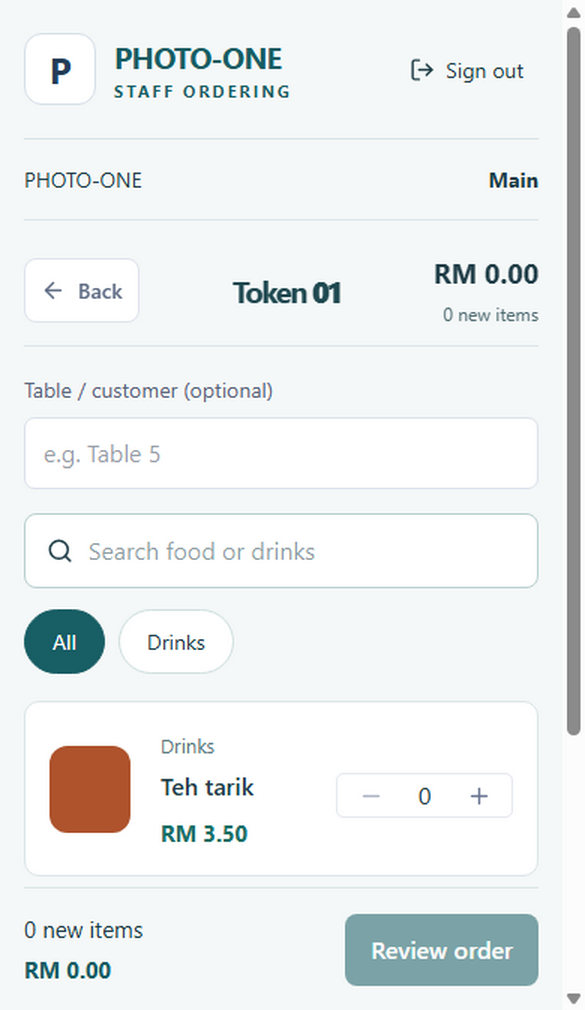
When token ordering is enabled, your team can take orders on a phone or tablet using the branch’s Staff Ordering login.
-
Open a token
Enter a token from 01 to 99. Reopen an unpaid token to add to its existing bill.
-
Add and review items
Search the menu, choose quantities and item options, then review the order before sending it.
-
Send the order to Cashier
Once the order is confirmed, give the token to the guest so the cashier can find the bill and take payment.

From bill to receipt
-
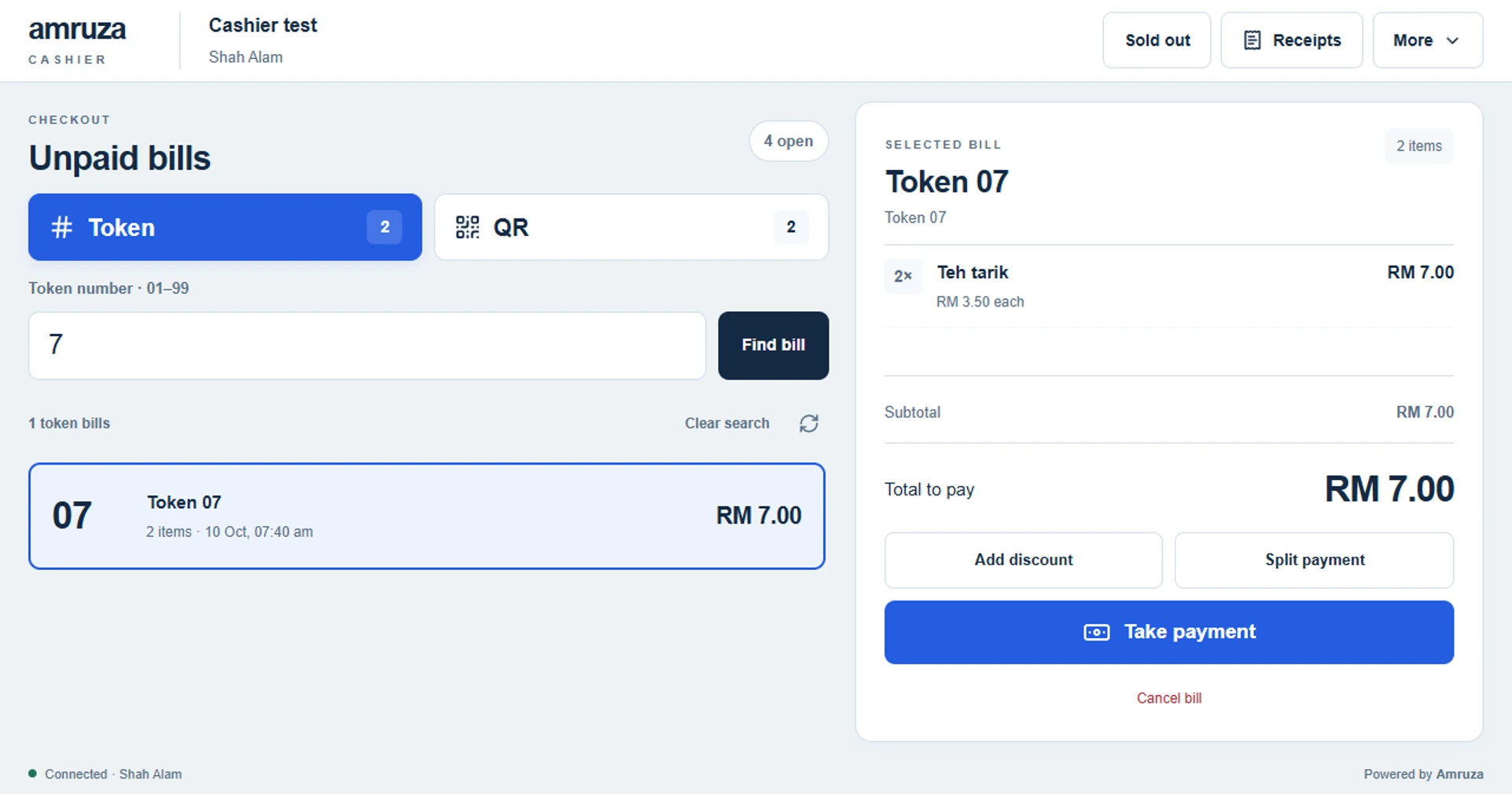
Find the right bill
Find an unpaid bill by token, table or order number. If a table orders again before paying, the new items go onto the same bill.
-
Settle the bill your way
Take one payment or split by amount or by item. For cash, see the change due before completing the sale.
-
Print or look up a receipt
Print one receipt for the whole bill or separate receipts for split payments. Look up past payments in Cashier.
ARZ POS
Token 07
- 2 × Teh tarik
- RM 7.00
- Total paid
- RM 7.00
- Cash received
- RM 10.00
- Change
- RM 3.00
Manager tools for each branch
Use Manager to keep the menu current, set up service and check how each branch is doing.
- Update the menu
- Edit items, categories, prices and options. Apply changes to one branch or across all branches.
- Set up service
- Manage table QR codes and choose which kitchen or drinks station receives each item.
- Review branch activity
- Select a branch to check its orders, receipts and sales reports.
Before you set up
Can we accept card or QR payments?
Electronic payments require a compatible provider connection. Tell us which terminal or merchant QR provider you use so we can confirm what can be set up.
What happens if the internet drops?
During a temporary outage, the Cashier can take full cash payment for eligible bills it has already received. Those payments sync when the connection returns. New QR and staff orders need a connection to the server.
Can we use our existing receipt printer?
Share your Windows counter and printer models. We can check compatibility and confirm the printer, paper size and cash drawer setup with you.
See how ARZ POS fits your counter
Tell us how your team takes orders and where service slows down. We’ll tailor the walkthrough to your restaurant.